Advertisements

HiPER Scientific Calculator HiPER Scientific Calculator
Advertisements
Category
ToolsVersion
Tag
Scientific Calculator | Symbolic Algebra | Graphing | Equations | Derivatives and Integrals
Rate
4.7
Reviews
6185
Installs
10,000,000+
Developer
HiPER Labs
Content Rating
Everyone
Excellent scientific calculator with symbolic algebra, integrals, derivatives
Advertisements
Advertisements
Author's Review
AM5 Review
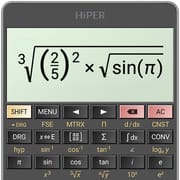
<div class="tab-content-content">This scientific calculator application is a comprehensive tool that offers a wide array of features, making it suitable for various mathematical and scientific calculations. The calculator has garnered significant popularity, evidenced by its extensive user base of over 40 million downloads and an impressive 200,000 five-star ratings. This widespread adoption and positive feedback underscore the calculator's reliability, functionality, and user satisfaction. One of the key highlights of this calculator is its expression mode, which allows users to input mathematical expressions in a natural and intuitive manner. This feature is particularly beneficial for students and professionals alike, as it closely mimics the way mathematical equations are typically written. The expression mode not only facilitates ease of input but also provides a clear visualization of the expression being calculated, ensuring accuracy and reducing the likelihood of errors. Furthermore, the calculator displays the result in a variety of formats, including numerical values and simplified expressions, catering to different user needs and preferences. The calculator's adaptability extends to its user interface, offering multiple layouts optimized for different screen sizes. This includes a pocket view designed for smaller devices, ensuring usability even on compact screens. For smartphones, a compact view is available, which can be used in both portrait and landscape orientations, providing flexibility and convenience for users on the go. Tablet users benefit from an expanded view that maximizes the screen real estate, allowing for a more detailed and comprehensive display of calculations and results. In addition to these layout options, the calculator offers a multiline display feature on tablets, which enables users to view the complete history of their calculations. This is particularly useful for complex calculations that involve multiple steps, as it allows users to easily review and reference previous results. The calculator also provides a range of high-quality themes, allowing users to customize the appearance of the application to their liking. This personalization feature enhances the user experience, making the calculator more visually appealing and engaging. Beyond its basic functionality, the calculator boasts a wide range of advanced features, including support for numbers with up to 100 digits of significand and 9 digits of exponent. This high level of precision makes the calculator suitable for scientific and engineering applications that require accurate calculations with very large or very small numbers. The calculator also supports basic arithmetic operations, including percentage, modulo, and negation, as well as mixed and improper fractions. This comprehensive coverage of basic operations ensures that users can perform a wide variety of calculations without having to resort to external tools or resources. In addition, the calculator supports periodic numbers and their conversion to fractions, which is a valuable feature for users working with number theory or related fields. The calculator's ability to handle an unlimited number of parentheses and its adherence to operator precedence rules further enhance its usability and accuracy. The calculator also supports repeated operations, equations with one or more variables, and systems of equations, making it a versatile tool for solving algebraic problems. The inclusion of variables and symbolic calculation capabilities allows users to perform algebraic manipulations and solve equations symbolically, which is a powerful feature for advanced mathematical analysis. The calculator also supports derivatives and integrals, enabling users to perform calculus operations directly within the application. The calculator can generate graphs of functions, equations, integral areas, and limits, providing a visual representation of mathematical concepts. It also supports 3D graphing, which is particularly useful for visualizing multivariable functions and complex geometric shapes. The calculator provides detailed calculation information, such as complex roots and geometric circumference, offering extended insights into the results of calculations. The calculator includes support for matrices and vectors, enabling users to perform linear algebra operations. The calculator provides statistical functions, including regression analysis, making it useful for data analysis and modeling. The calculator supports complex numbers, allowing users to perform calculations with imaginary and complex values. The calculator supports conversion between Cartesian and polar coordinates, which is useful in various mathematical and scientific contexts. The calculator supports sums and products of series, enabling users to perform calculations related to series and sequences. The calculator supports limits, allowing users to evaluate the behavior of functions as they approach specific values. The calculator offers advanced numerical operations, such as random number generation, combinations, permutations, and greatest common divisor calculations. The calculator includes trigonometric and hyperbolic functions, enabling users to perform calculations involving angles and hyperbolic curves. The calculator supports powers, roots, and logarithms, allowing users to perform a wide range of exponential and logarithmic calculations. The calculator supports conversion of degrees, minutes, and seconds, which is useful in navigation and surveying applications. The calculator offers fixed, scientific, and engineering display formats, allowing users to customize the way numbers are displayed. The calculator can display exponents as SI unit prefixes, which is useful in scientific and engineering contexts. The calculator features memory operations with 10 extended memories, allowing users to store and recall values for later use. The calculator supports clipboard operations with multiple formats, facilitating the transfer of data between the calculator and other applications. The calculator maintains a history of results, allowing users to review and reuse previous calculations. The calculator supports binary, octal, and hexadecimal numeral systems, which are useful in computer science and digital electronics. The calculator provides logical operations, such as AND, OR, and NOT, which are useful in digital logic and programming. The calculator supports bitwise shifts and rotations, which are useful in low-level programming and data manipulation. The calculator provides haptic feedback, enhancing the user experience by providing tactile confirmation of button presses. The calculator includes over 90 physical constants, providing easy access to commonly used physical values. The calculator supports conversion between 200 units, facilitating unit conversions in various scientific and engineering disciplines. The calculator supports Reverse Polish Notation (RPN), a postfix notation that is popular among engineers and scientists. The calculator provides many settings to manage the full-screen mode, decimal and thousand separators, etc., allowing users to customize the calculator's behavior and appearance to their liking. The calculator includes a comprehensive help section that describes all of its functions, providing users with detailed information and guidance on how to use the calculator effectively. This extensive feature set and user-friendly design make this scientific calculator a valuable tool for students, professionals, and anyone who needs to perform mathematical or scientific calculations on the go. Its widespread adoption and positive reviews are a testament to its quality and reliability, making it a top choice for anyone seeking a powerful and versatile scientific calculator app.</div><div class="tab-content-content"></div><div class="tab-content-content">The calculator application offers a diverse range of features and functionalities that cater to both basic and advanced mathematical needs. Its intuitive interface and versatile design make it accessible to a wide range of users, from students learning fundamental concepts to professionals engaged in complex calculations. The expression mode stands out as a particularly valuable asset, allowing users to input equations and formulas in a natural, human-readable format. This feature not only simplifies the input process but also enhances clarity and reduces the potential for errors. By displaying the expression as it is being entered, the calculator provides visual confirmation and ensures that the equation is correctly formulated. Furthermore, the expression mode supports a variety of mathematical notations and symbols, allowing users to express complex ideas with precision and accuracy. The calculator's adaptability to different screen sizes is another key advantage, ensuring a seamless user experience across a variety of devices. Whether on a small smartphone or a large tablet, the calculator optimizes its layout to maximize screen real estate and provide a comfortable viewing experience. The pocket view is specifically designed for smaller devices, minimizing clutter and ensuring that all essential functions are easily accessible. The compact view is ideal for smartphones, offering a balance between functionality and usability. The expanded view, available on tablets, provides a spacious and comprehensive interface, allowing users to view multiple calculations and access advanced features with ease. The multiline display on tablets is particularly useful for complex calculations, as it allows users to track their progress and review previous steps. This feature is especially valuable for tasks that require multiple iterations or involve a series of interconnected calculations. The ability to view the entire history of calculations eliminates the need to manually record intermediate results and reduces the risk of errors. The calculator's customization options extend beyond layout and include a variety of high-quality themes. These themes allow users to personalize the appearance of the calculator and create a visually appealing environment that suits their preferences. The availability of multiple themes enhances the user experience and makes the calculator more enjoyable to use. In addition to its core functionality, the calculator offers a range of advanced features that cater to specialized needs. The ability to handle numbers with up to 100 digits of significand and 9 digits of exponent is particularly valuable for scientific and engineering applications that require high precision. The calculator also supports a variety of arithmetic operations, including percentage, modulo, and negation, as well as mixed and improper fractions. This comprehensive coverage of basic operations ensures that users can perform a wide variety of calculations without having to rely on external tools or resources. The calculator's support for periodic numbers and their conversion to fractions is another valuable feature, particularly for users working with number theory or related fields. The calculator's ability to handle an unlimited number of parentheses and its adherence to operator precedence rules further enhance its usability and accuracy. The calculator also supports repeated operations, equations with one or more variables, and systems of equations, making it a versatile tool for solving algebraic problems. The inclusion of variables and symbolic calculation capabilities allows users to perform algebraic manipulations and solve equations symbolically, which is a powerful feature for advanced mathematical analysis. The calculator also supports derivatives and integrals, enabling users to perform calculus operations directly within the application. The calculator can generate graphs of functions, equations, integral areas, and limits, providing a visual representation of mathematical concepts. It also supports 3D graphing, which is particularly useful for visualizing multivariable functions and complex geometric shapes. The calculator provides detailed calculation information, such as complex roots and geometric circumference, offering extended insights into the results of calculations. The calculator includes support for matrices and vectors, enabling users to perform linear algebra operations. The calculator provides statistical functions, including regression analysis, making it useful for data analysis and modeling. The calculator supports complex numbers, allowing users to perform calculations with imaginary and complex values. The calculator supports conversion between Cartesian and polar coordinates, which is useful in various mathematical and scientific contexts. The calculator supports sums and products of series, enabling users to perform calculations related to series and sequences. The calculator supports limits, allowing users to evaluate the behavior of functions as they approach specific values.</div><div class="tab-content-content"></div><div class="tab-content-content">Furthermore, the calculator's advanced numerical operations, such as random number generation, combinations, permutations, and greatest common divisor calculations, provide a comprehensive set of tools for various mathematical tasks. The inclusion of trigonometric and hyperbolic functions allows users to perform calculations involving angles and hyperbolic curves, which are essential in fields such as physics, engineering, and surveying. The calculator's support for powers, roots, and logarithms enables users to perform a wide range of exponential and logarithmic calculations, which are fundamental in many scientific and engineering disciplines. The calculator's support for conversion of degrees, minutes, and seconds is particularly useful in navigation and surveying applications, where precise angle measurements are critical. The calculator offers fixed, scientific, and engineering display formats, allowing users to customize the way numbers are displayed to suit their specific needs. The ability to display exponents as SI unit prefixes is another valuable feature, particularly in scientific and engineering contexts where standardized units are essential. The calculator's memory operations, with 10 extended memories, allow users to store and recall values for later use, which is particularly useful for complex calculations that involve multiple steps or require the reuse of intermediate results. The calculator's support for clipboard operations with multiple formats facilitates the transfer of data between the calculator and other applications, streamlining the workflow and enhancing productivity. The calculator maintains a history of results, allowing users to review and reuse previous calculations, which is particularly useful for tracking progress and identifying errors. The calculator supports binary, octal, and hexadecimal numeral systems, which are essential in computer science and digital electronics. The calculator provides logical operations, such as AND, OR, and NOT, which are fundamental in digital logic and programming. The calculator supports bitwise shifts and rotations, which are useful in low-level programming and data manipulation. The calculator provides haptic feedback, enhancing the user experience by providing tactile confirmation of button presses, which can be particularly helpful for users with visual impairments. The calculator includes over 90 physical constants, providing easy access to commonly used physical values, which is essential for scientific and engineering calculations. The calculator supports conversion between 200 units, facilitating unit conversions in various scientific and engineering disciplines, which can save time and reduce the risk of errors. The calculator supports Reverse Polish Notation (RPN), a postfix notation that is popular among engineers and scientists, offering an alternative input method that can be more efficient for certain types of calculations. The calculator provides many settings to manage the full-screen mode, decimal and thousand separators, etc., allowing users to customize the calculator's behavior and appearance to their liking, which enhances the user experience and makes the calculator more comfortable to use. The calculator includes a comprehensive help section that describes all of its functions, providing users with detailed information and guidance on how to use the calculator effectively, which ensures that users can fully utilize the calculator's capabilities and overcome any challenges they may encounter. In summary, this scientific calculator application is a powerful and versatile tool that offers a comprehensive set of features for various mathematical and scientific calculations. Its intuitive interface, adaptable design, and extensive functionality make it suitable for a wide range of users, from students to professionals. The calculator's widespread adoption and positive reviews are a testament to its quality and reliability, making it a top choice for anyone seeking a powerful and versatile scientific calculator app.</div>
Show More
Collpase
Advertisements
Advertisements
Screenshots
Additional Information
Category
ToolsVersion
Tag
Scientific Calculator | Symbolic Algebra | Graphing | Equations | Derivatives and Integrals
Rate
4.7
Reviews
6185
Installs
10,000,000+
Developer
HiPER Labs
Content Rating
Everyone
Excellent scientific calculator with symbolic algebra, integrals, derivatives
Previous Versions
ZIP files require a Split APKs Installer (e.g., SAI) from Google Play to install. Steps: 1. Download SAI from Google Play; 2. Open SAI and tap "Install APKs"; 3. Select the ZIP file; 4. Complete installation.
Package Name
cz.hipercalc
Version Name
V10.4.3
Version Code
219
File Size
19.54 MB
Update time
2/8/2024, 12:00:00 AM
System
Android 6.0+ (Marshmallow, API 23)
Signature
fce81e3c8182c6194c018022a545b8eb265b073b
Package Name
cz.hipercalc
Version Name
V10.4.2
Version Code
217
File Size
19.54 MB
Update time
1/8/2024, 12:00:00 AM
System
Android 6.0+ (Marshmallow, API 23)
Signature
fce81e3c8182c6194c018022a545b8eb265b073b
Package Name
cz.hipercalc
Version Name
V10.3.3
Version Code
213
File Size
19.15 MB
Update time
9/6/2023, 12:00:00 AM
System
Android 6.0+ (Marshmallow, API 23)
Signature
fce81e3c8182c6194c018022a545b8eb265b073b
Package Name
cz.hipercalc
Version Name
V10.3.2
Version Code
210
File Size
18.98 MB
Update time
8/17/2023, 12:00:00 AM
System
Android 6.0+ (Marshmallow, API 23)
Signature
fce81e3c8182c6194c018022a545b8eb265b073b
Package Name
cz.hipercalc
Version Name
V10.3.1
Version Code
208
File Size
14.11 MB
Update time
7/27/2023, 12:00:00 AM
System
Android 5.0+ (Lollipop, API 21)
Signature
fce81e3c8182c6194c018022a545b8eb265b073b
Advertisements
You Might Like
Advertisements
You Might Like
Advertisements